

Domains
Allowlist the domains where your embed widget can run, and get a unique embed snippet per domain.
Before the widget loads on a page, Mojar verifies that the request originates from an allowlisted domain. This prevents your agent's embed from being used on sites you haven't authorized. Each domain you add gets its own unique data-domainuuid value, so the generated embed snippet is specific to that domain.
Why domains are required
The embed loader sends the data-agentid and data-domainuuid values to Mojar's session endpoint when the page loads. If the calling origin does not match an active, allowlisted domain for that agent, the widget fails to initialize and displays an error state. Adding a domain here is what permits the widget to operate on that origin.
Adding a domain
Open your agent and go to the Embed tab.
Make sure the Website Embed Feature toggle is set to Active. The domain manager is hidden while the toggle is inactive.
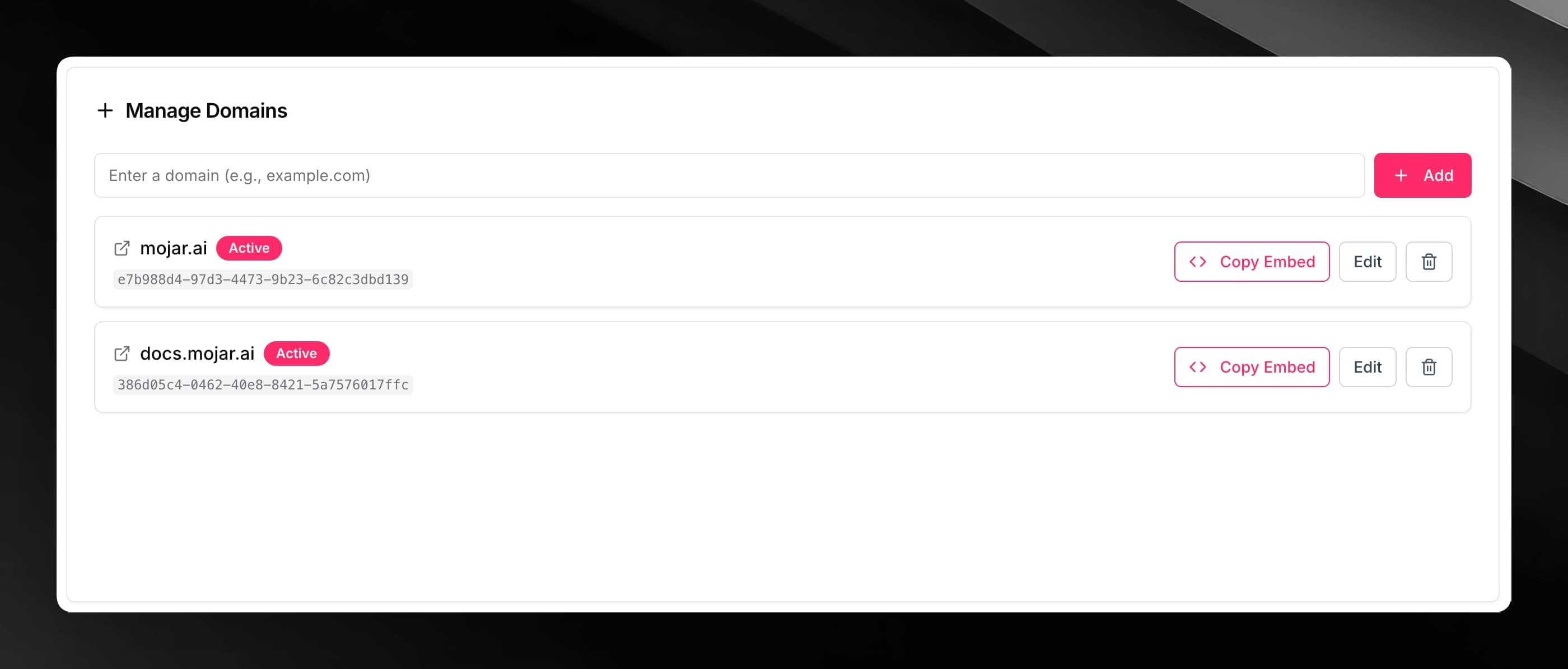
In the Manage Domains section, type your domain into the input field (for example, example.com) and click Add, or press Enter.
The domain appears in the list. If it validates successfully, its badge shows Active. An Invalid badge means the domain format was not recognized — check that you entered a plain hostname without a protocol prefix (https://) or trailing slashes.
Enter domains without the protocol. Use example.com, not https://example.com.
Copying the embed snippet for a domain
Each valid domain in the list has a Copy Embed button. Clicking it copies a pre-configured <script> tag to your clipboard, with data-agentid and data-domainuuid already filled in for that specific domain.
Only domains marked Active show the Copy Embed button. Fix an Invalid domain first before copying its snippet.
Editing a domain
Click the domain name or the Edit button on any domain row to enter edit mode. Update the value and press Save (or Enter). Press Escape or click Cancel to discard the change.
Removing a domain
Click the trash icon on a domain row. A confirmation dialog appears — confirm by clicking Delete. The domain is removed immediately.
Removing a domain disassociates it from the agent. Any embed snippet that used that domain's data-domainuuid will no longer initialize on your site. Update or remove the snippet from your website after deleting the domain.
One snippet per domain
Because each domain has a distinct UUID, use the snippet copied from the Manage Domains list for that specific domain. Do not reuse a snippet from one domain on a different hostname — the session validation will reject it.
Disabling the embed feature
Setting the Website Embed Feature toggle back to Inactive suspends the embed for all domains at once. The domains remain saved so you can re-enable without re-adding them.