

Choosing a model
Compare the OpenAI, Anthropic, Google, and DeepSeek models available in Mojar.
Every Mojar agent is powered by one language model. You choose the model in your agent's Settings. The right choice depends on the complexity of your use case, how much context your documents require, and the plan you are on.
Available providers and models
Mojar supports four providers. All current models include reasoning capability (they can show their thinking process before answering).
| Model | Provider | Good for |
|---|---|---|
| GPT-5.4 nano | OpenAI | General-purpose; the default for new agents; fast and cost-efficient |
| GPT-5.4 mini | OpenAI | More capable than nano; balanced speed and quality |
| GPT-5.4 high | OpenAI | High-stakes tasks requiring the strongest OpenAI reasoning; Enterprise plan |
| DeepSeek-V4-Flash | DeepSeek | Fast reasoning; competitive cost; available on all plans |
| DeepSeek-V4-Pro | DeepSeek | Higher-quality reasoning from DeepSeek; Pro plan and above |
| Gemini 3 Flash | Efficient Google model; Pro plan and above | |
| Gemini 3.1 Flash-Lite | Lightweight; low cost; all plans | |
| Gemini 3.5 Flash | Strong reasoning with Google's latest Flash generation; Pro plan and above | |
| Gemini 3.1 Pro | Google's most capable model; Enterprise plan | |
| Claude Sonnet 4.6 | Anthropic | Extended thinking; strong at analysis and writing; Enterprise plan |
Reasoning models
All models listed above are reasoning models — they can think through a problem step by step before producing a final answer. In Mojar's chat interface you can expand the "View reasoning process" section to see the model's thinking.
OpenAI models use the Responses API with reasoningEffort: high for GPT-5.x series. DeepSeek models use DeepSeek's native thinking mode. Claude Sonnet 4.6 uses Anthropic's extended thinking capability.
How to change a model
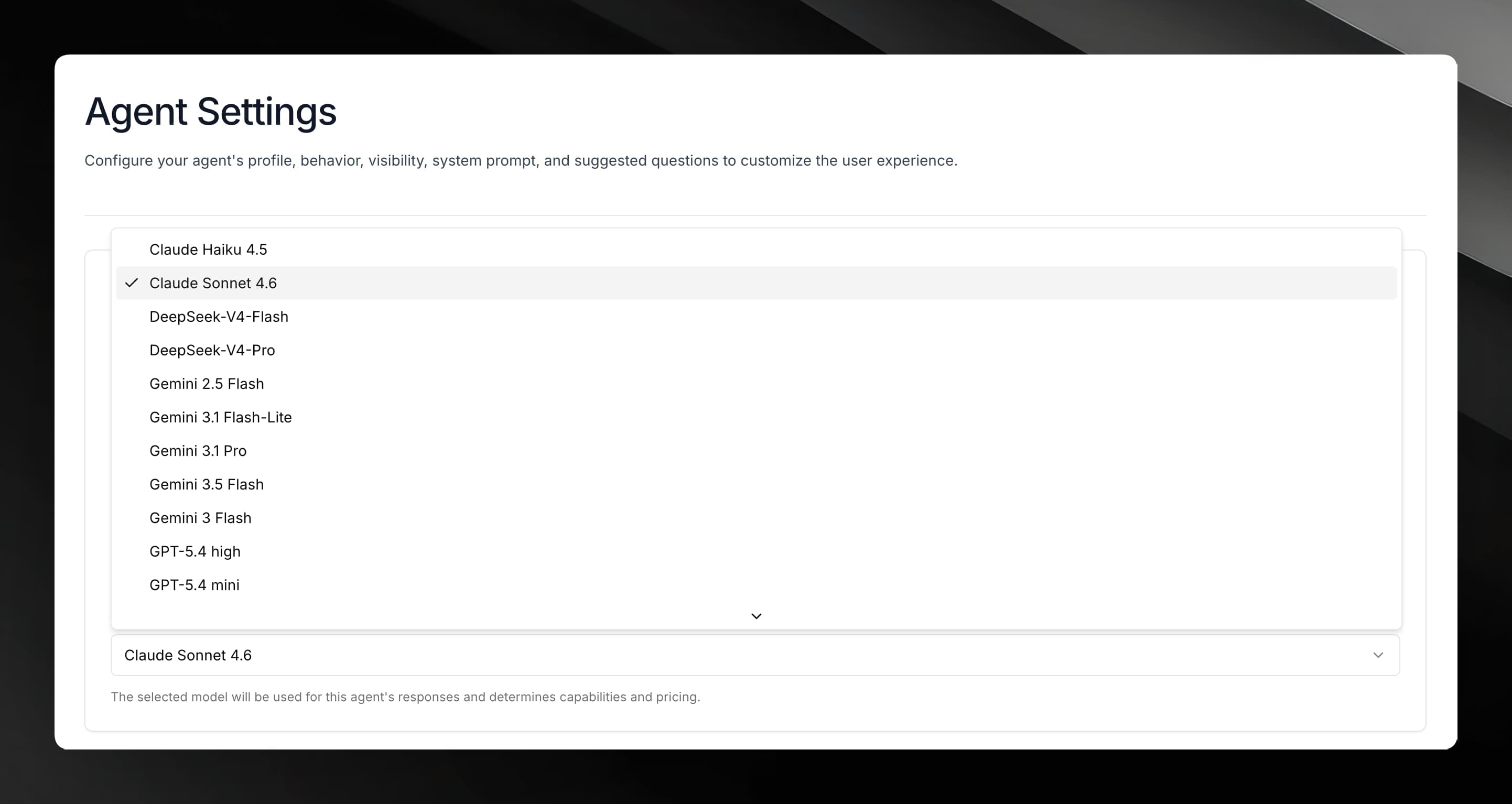
Open your agent and go to Settings in the left sidebar.
Find the model selector and choose the model you want.
Save your changes. The new model takes effect on the next conversation.
Plan availability
| Plan | Available models |
|---|---|
| Free | GPT-5.4 nano, DeepSeek-V4-Flash, Gemini 3.1 Flash-Lite |
| Pro | All Free models + DeepSeek-V4-Pro, GPT-5.4 mini, Gemini 3.5 Flash, Gemini 3 Flash |
| Enterprise | All Pro models + GPT-5.4 high, Gemini 3.1 Pro, Claude Sonnet 4.6 |
Which model should I start with?
- Default choice: GPT-5.4 nano is the default for new agents. It handles most knowledge-base Q&A tasks well at low cost.
- Higher quality: upgrade to GPT-5.4 mini or DeepSeek-V4-Pro if responses feel too brief or miss nuance.
- Large documents: models with a larger context window handle long documents with less truncation. See your agent's Settings for the context-window size of each model.
- Writing and analysis: Claude Sonnet 4.6 performs particularly well on long-form writing, RFP responses, and analytical tasks.
- Cost-sensitive workloads: Gemini 3.1 Flash-Lite and GPT-5.4 nano offer the lowest per-token cost.