

Tone of voice
Control how your agent writes by setting a writing-style profile — not a language setting.
Tone of voice in Mojar is a writing-style profile. It tells the agent things like "prefer short sentences", "use active voice", or "avoid em-dashes". It is not a language-translation setting — the agent still replies in the language of the conversation.
The profile applies to every chat reply and to every section the agent generates (for example, RFP proposal sections).
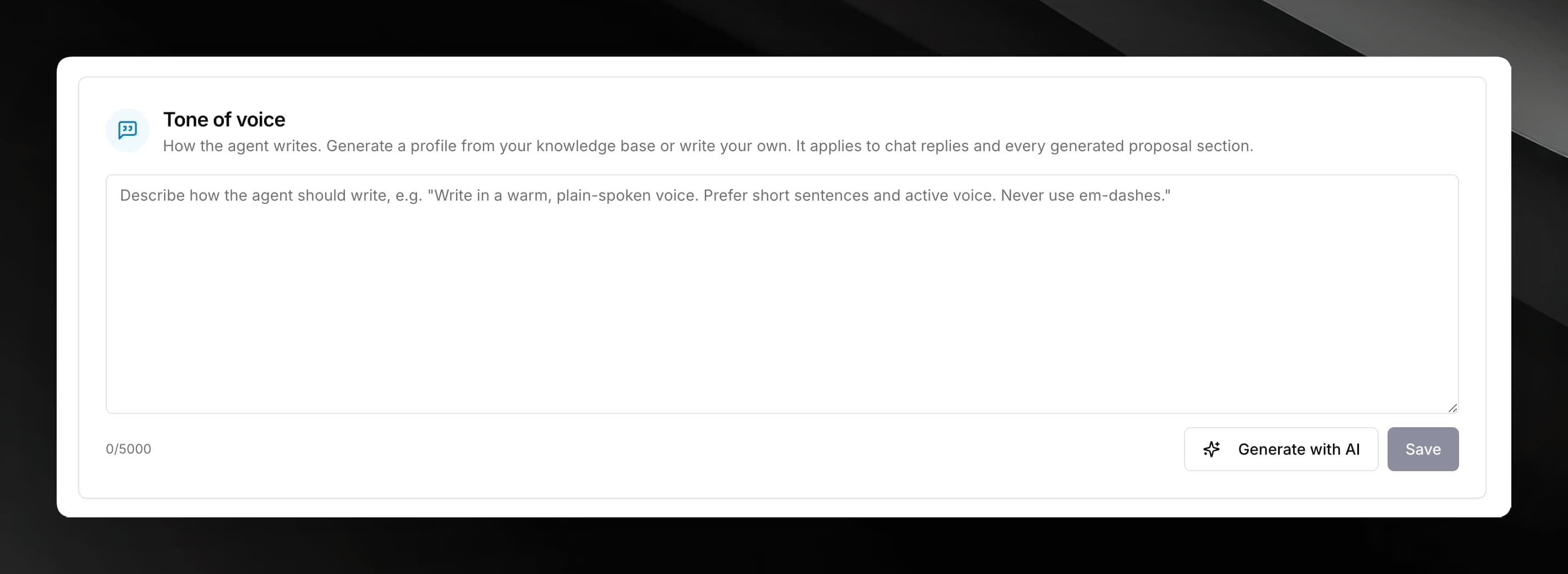
Where to find it
Open the Configure tab for any agent. The Tone of voice card is below the Skills section.
Writing a profile manually
Click inside the textarea and type your style instructions in plain language. Write them as direct instructions to the agent, for example:
Write in a warm, plain-spoken voice. Prefer short sentences and active voice. Never use em-dashes.
The textarea accepts up to 5,000 characters. Click Save when you are done, or press Ctrl+Enter.
Generating a profile from your knowledge base
If you have already uploaded documents to the knowledge base, Mojar can analyse them and draft a profile that matches how your organisation writes.
Clicking Generate with AI when you already have text in the textarea will prompt you to confirm before overwriting the editor. Your saved profile stays untouched until you click Save.
You need at least one completed document in the knowledge base before generating. If no documents are ready, you will see the message "Add documents to the knowledge base first."
What a generated profile covers
The AI-generated profile is a set of imperative writing instructions. It analyses:
- Register and formality — for example, plain-spoken and warm vs. formal and technical
- Sentence rhythm — typical length, variation, paragraph density
- Person and voice — use of "we"/"you", active vs. passive constructions
- Vocabulary — characteristic words and phrases the organisation uses, and constructions to avoid
- Punctuation and formatting habits
The profile is grounded strictly in your uploaded documents. Where the source material is too thin to draw conclusions, the profile says so rather than inventing traits.
Clearing the profile
Delete all text from the textarea and click Save. The agent will revert to its industry-default writing style with no custom tone profile applied.