

RFP drafting overview
Draft long-form RFP responses with AI-generated plans, per-section drafting on a canvas, and one-click export.
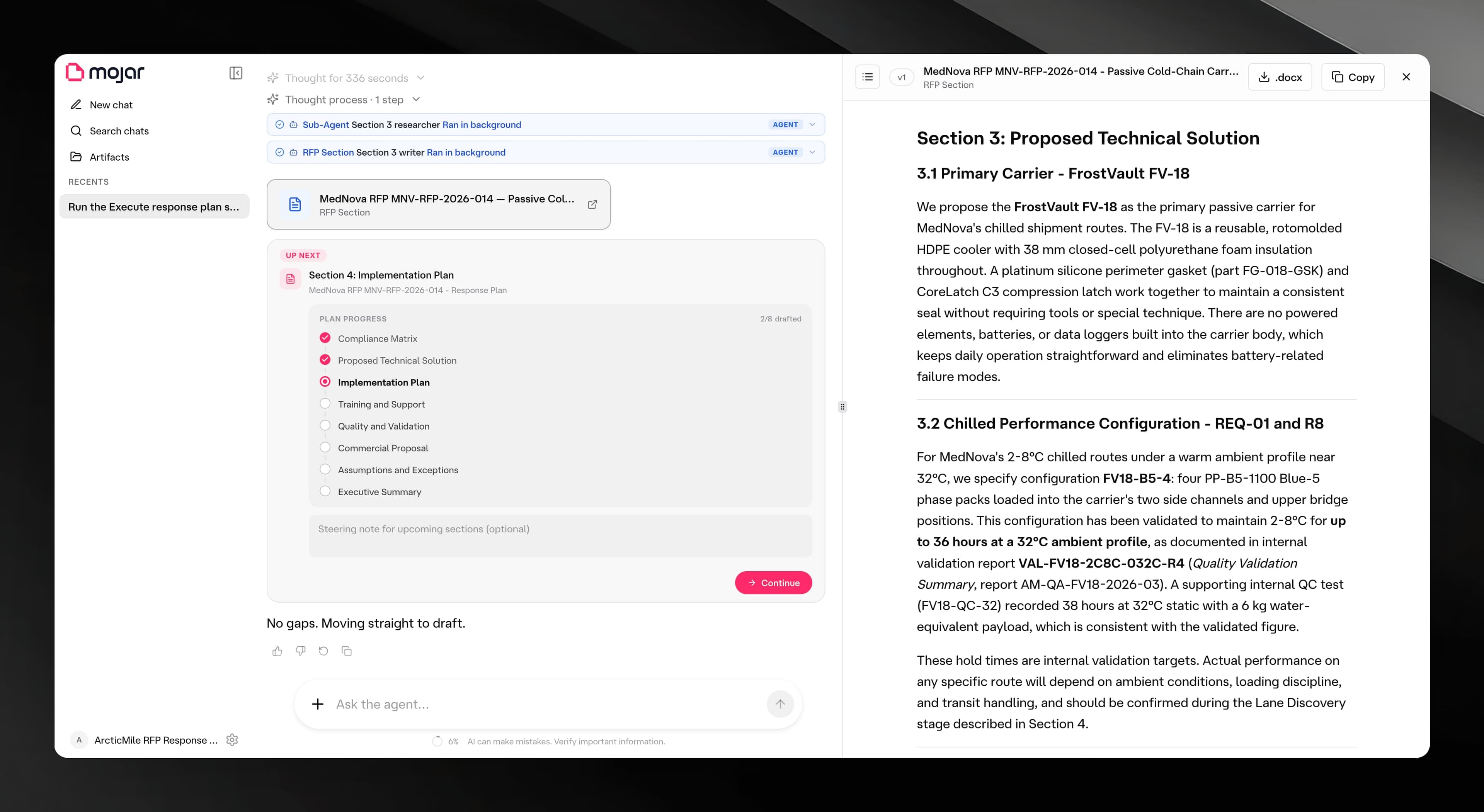
Mojar's RFP drafting tool (known internally as Pestle) turns a raw RFP into a structured, editable response. You describe the opportunity in a chat; the agent produces a numbered plan; then it drafts each section as a separate artifact on the canvas while you review and steer. When all sections look good, you collect them in the Artifacts gallery and export.
When to use it
Use RFP drafting when you need to produce a multi-section written response to a Request for Proposal, tender, or similar procurement document. It is designed for responses that are too long to draft in one pass — the plan-and-section model lets the agent and the knowledge base work through each section methodically.
End-to-end flow at a glance
- Describe — Open a Pestle chat and tell the agent about the RFP: the client, the requirements, any constraints.
- Generate a plan — The agent creates a response plan artifact with numbered sections covering the full scope of the RFP.
- Build sections — Click Build plan on the plan artifact to launch the
execute-response-planskill. The agent drafts each section in turn, each as its own artifact. - Review — A kickoff card appears in the chat after each section is drafted. Add optional steering notes and click Continue to move to the next section.
- Refine — Open any artifact on the canvas to read, copy, or download it as a Word document. You can ask the agent to revise a section by sending a message in the chat.
- Export — Visit the Artifacts gallery to see every document produced across all your chats with this agent. Download individual artifacts as
.docxfiles from the canvas.