

MQTT / IoT
Publish messages to and subscribe from MQTT brokers for industrial IoT and Unified Namespace integrations.
The MQTT connector lets your agent exchange data with industrial systems — PLCs, SCADA, MES, and ERP — over the MQTT messaging protocol. Use it to publish commands or readings to a topic, or to receive a single message from a topic as a workflow step.
What you can do
| Action | What it does |
|---|---|
| Publish | Sends a payload to an MQTT topic on your broker. |
| Subscribe (once) | Waits for one message on a topic and returns its payload to the next workflow node. |
Both actions support Quality of Service (QoS) levels and the retain flag. Payloads support {{variable}} template syntax.
The MQTT connector is designed for Unified Namespace (UNS) architectures following the ISA-95 topic hierarchy (enterprise/site/area/line/cell).
Before you start
You need:
- A running MQTT broker — for example HiveMQ, EMQX, Mosquitto, AWS IoT Core, or Azure IoT Hub.
- The broker's URL (e.g.
mqtt://broker.example.comormqtts://broker.example.comfor TLS). - Port — typically
1883for unencrypted,8883for TLS. - Username and password if your broker requires authentication.
For production deployments, enable TLS (mqtts://) and use port 8883. Unencrypted MQTT is only appropriate for isolated local networks.
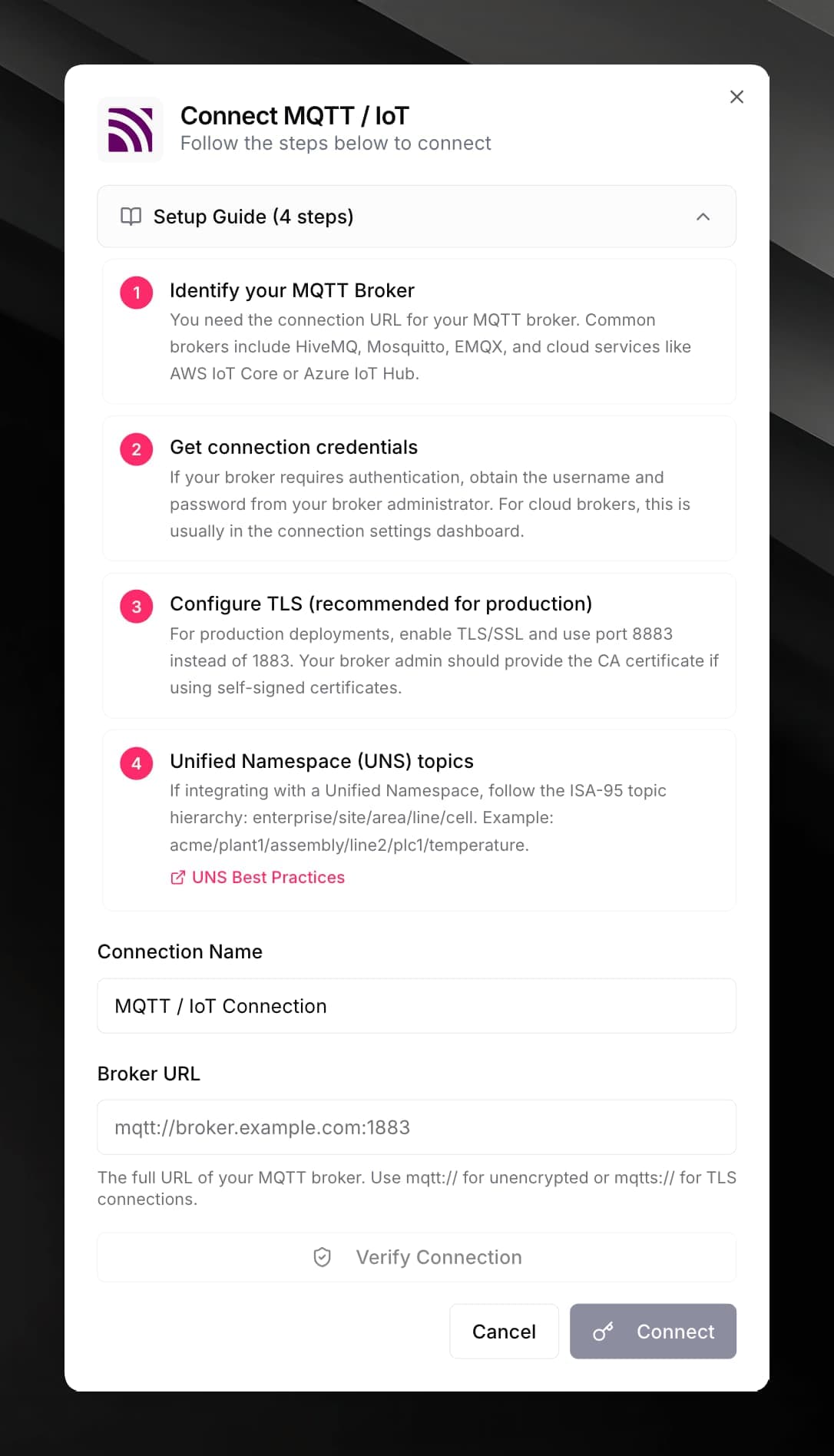
Connect MQTT
Fill in the credential form:
| Field | Value |
|---|---|
| Broker URL | Full URL including scheme, e.g. mqtt://broker.example.com or mqtts://broker.example.com |
| Port | 1883 (plain) or 8883 (TLS) |
| Username (optional) | Broker authentication username |
| Password (optional) | Broker authentication password |
| Use TLS/SSL | Enable for production brokers; required for mqtts:// |
| Client ID (optional) | A unique ID for this connection, e.g. mojar-workflow-client |
Use it in a workflow
Set the Topic field. Follow your broker's topic structure. For UNS, use the ISA-95 hierarchy:
acme/plant1/assembly/line2/plc1/temperatureMQTT topic wildcards (+ for a single level, # for multi-level) work for Subscribe only.
For Publish, fill in the remaining fields:
| Field | Description |
|---|---|
| Payload | The message to send. Use JSON for structured data. Supports {{variables}}. |
| QoS | 0 — at most once; 1 — at least once (recommended); 2 — exactly once. |
| Retain | If enabled, the broker keeps the last message and delivers it to new subscribers. |
For Subscribe (once), set a Timeout (default 10 seconds). The node returns the received payload, raw message, and receivedAt timestamp.
topic, qos, retain, and publishedAt.For managed brokers (HiveMQ Cloud, EMQX), Mojar automatically uses the broker's HTTP publish API when available. For other brokers, it connects directly via the MQTT protocol.