

Twilio
Send SMS and MMS messages from your agent's workflows using a Twilio phone number.
The Twilio connector lets your agent send SMS text messages (and optionally MMS with a media URL) to any phone number from a Twilio-provisioned number.
What you can do
| Action | Node type | Description |
|---|---|---|
| Send SMS | Send SMS | Send a text message up to 1,600 characters. Supports MMS when a media URL is provided. |
All message fields support {{variable}} template syntax, so the recipient number and message body can be dynamically filled from earlier workflow steps.
Twilio also powers WhatsApp messaging in Mojar. If you want to send WhatsApp messages through Twilio, use the WhatsApp connector instead — it shares the same Twilio account credentials.
Before you start
You need three things from your Twilio account:
| Credential field | Description |
|---|---|
| Account SID | Your Twilio account identifier (ACxxxxxxxxxxxxxxxxxxxxxxxxxxxxxxxx). Found on the Twilio Console dashboard. |
| Auth Token | The secret token paired with your Account SID. Found next to the Account SID on the Console dashboard. |
| From Phone Number | A Twilio phone number you own, in E.164 format (e.g. +14155551234). Must have SMS capability. |
Connect Twilio
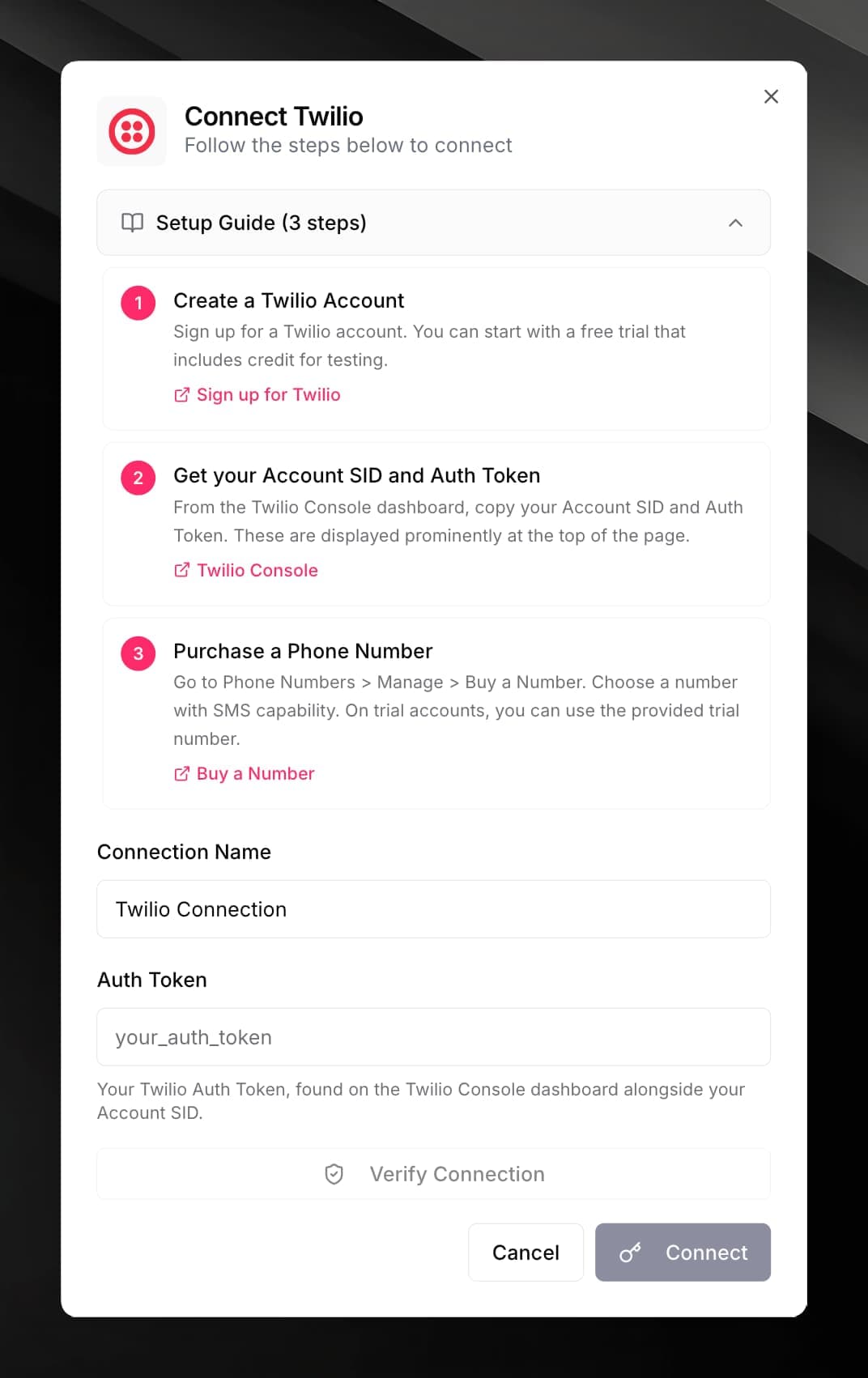
Create a Twilio account.
Sign up at twilio.com/try-twilio. Free trial accounts include credit for testing and come with a trial phone number.
Copy your Account SID and Auth Token.
From the Twilio Console dashboard, copy your Account SID and Auth Token. Both are displayed at the top of the page.
Get a phone number with SMS capability.
Go to Phone Numbers > Manage > Buy a Number and purchase a number with SMS enabled. On trial accounts, use the provided trial number.
Enter the credentials in Mojar.
In your agent, open Integrations, find Twilio, and click its card. Paste your Account SID, Auth Token, and From Phone Number, give the connection a name, and click Connect.
Click Verify Connection to confirm the credentials work before saving.
Use it in a workflow
Fill in the fields:
- To — recipient phone number in E.164 format, e.g.
{{customer.phone}} - Message — the SMS body (max 1,600 characters)
- Media URL — optional URL to an image or file to send as MMS