

SAP / ERP
Query stock, materials, production orders, and create maintenance notifications in SAP via OData.
The SAP / ERP connector lets your agent retrieve live data from SAP — stock availability, material master records, production orders — and create maintenance notifications, all through SAP's OData REST gateway.
What you can do
| Action | What it does |
|---|---|
| Query | Runs a generic OData query against any SAP entity set and returns the results. |
| Stock availability | Reads stock quantities for a material number, optionally filtered by plant. |
| Material info | Fetches material master data (description, type, base unit, weight) for a material number. |
| Production order | Retrieves planned and confirmed quantities, dates, and status for a production order number. |
| Create maintenance notification | Creates a PM notification (type M1) for a piece of equipment. |
| Custom RFC | Calls a custom OData function module by name with input parameters. |
All text fields support {{variable}} template syntax for dynamic queries.
Before you start
You need:
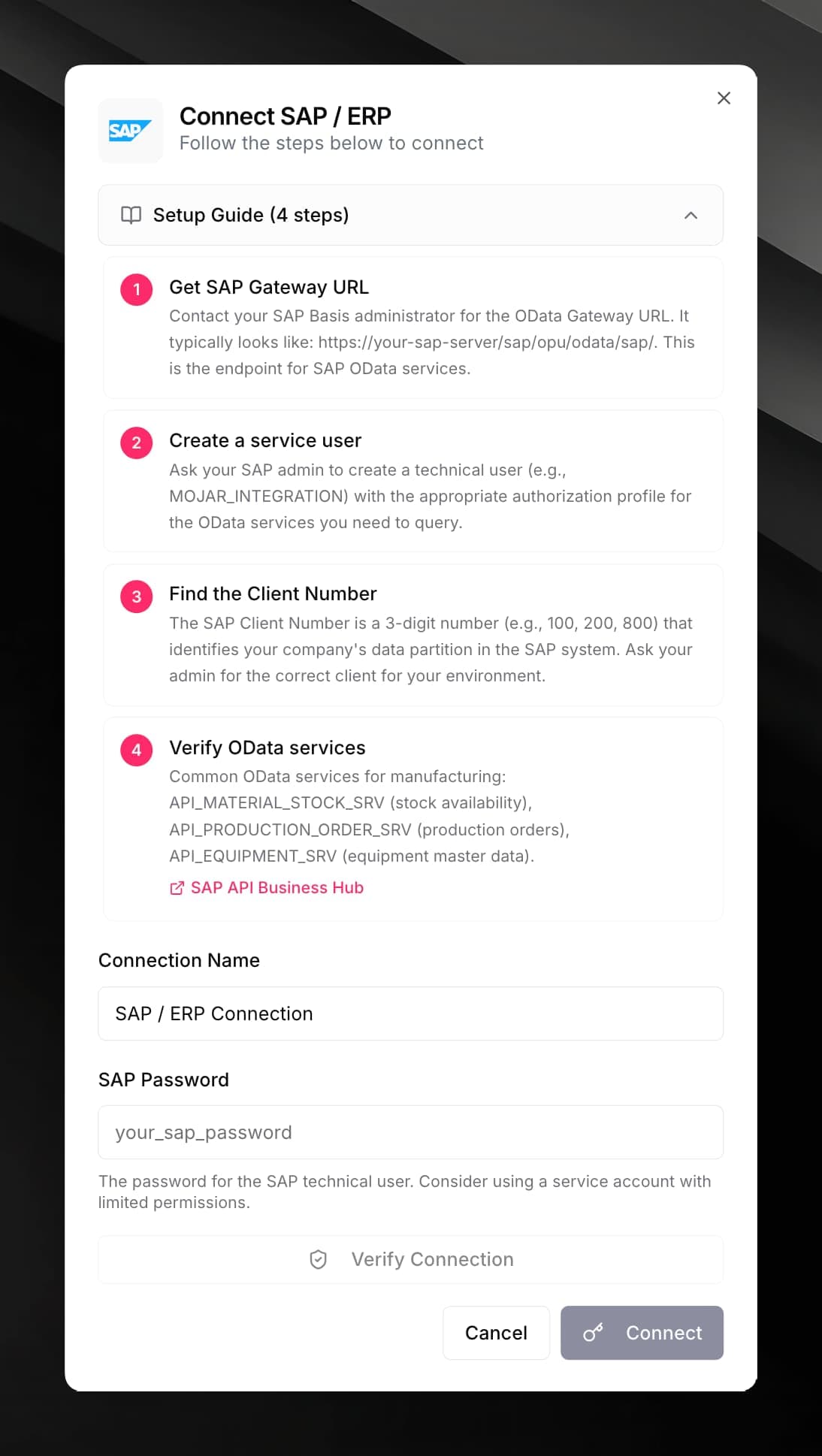
- Access to an SAP system with the OData Gateway enabled (transaction
/IWFND/MAINT_SERVICE). - The SAP Gateway URL — typically
https://your-sap-host/sap/opu/odata/sap/. - A technical user account with authorization for the OData services you want to call.
- The Client Number (a 3-digit identifier like
100,800) for your SAP environment.
Ask your SAP Basis administrator to create a dedicated service account (e.g. MOJAR_INTEGRATION) with minimum required authorizations. Do not use your personal SAP login.
Common SAP OData services used by this connector:
API_MATERIAL_STOCK_SRV— stock availabilityAPI_PRODUCT_SRV— material masterAPI_PRODUCTION_ORDER_2_SRV— production ordersAPI_MAINTNOTIFICATION— maintenance notifications
All services are listed on the SAP API Business Hub.
Connect SAP
Fill in the credential form:
| Field | Value |
|---|---|
| SAP Gateway URL | Base URL of your OData gateway, e.g. https://sap-gateway.example.com/sap/opu/odata/sap/ |
| Client Number | 3-digit client number, e.g. 100 |
| Username | SAP technical user login |
| Password | SAP technical user password |
| System ID (optional) | SAP system identifier, e.g. PRD for production |
Use it in a workflow
Fill in the fields for the chosen action:
Stock availability
- Material Number — SAP material number, e.g.
100001 - Plant (optional) — filter to a specific plant code, e.g.
1000
Material info
- Material Number — SAP material number
Production order
- Order Number — SAP manufacturing order number
Create maintenance notification
- Description — text description of the issue
- Equipment (optional) — equipment technical object number
- Priority — SAP priority code (
1–4, where1= very high)
Query (generic OData)
- Entity Set — OData entity set name, e.g.
A_MatlStkInAcctMod - Filter (optional) — OData
$filterexpression, e.g.Material eq '100001' - Select (optional) — comma-separated field names
- Top (optional) — maximum number of results to return
Custom RFC
- Function Name — OData service or function module name
- Input Parameters — JSON object of input parameters
results array for queries, or a structured object for single-record lookups.Write operations (Create maintenance notification, Custom RFC) require a valid CSRF token. The connector fetches this automatically before sending the request — no extra configuration is needed.